Introduction
In this article, i want to focus specifically on Materialized Lake Views (MLVs in order to better understand how they work and where they can be applied.
MLVs are still relatively new in Microsoft Fabric and, at first glance, do not fully align with what Microsoft has strongly promoted so far, namely a strict separation of the individual layers. Nevertheless, they represent a very interesting alternative, especially when it comes to reducing complex ETL processes.
In my projects, I generally follow the Medallion architecture, where I use a separate Lakehouse for each of the Bronze, Silver, and Gold layers. Alternatively, the Gold layer can also be implemented as a Fabric Warehouse.
This is exactly where Materialized Lake Views come into play, as they enable a different approach:
Instead of operating multiple Lakehouses for the individual layers, Bronze, Silver, and Gold can be represented via separate schemas within a single Lakehouse. The individual layers are logically separated while being technically created within the same Lakehouse.
This leads to the central question:
For which scenarios is the use of a single Lakehouse, especially in combination with Materialized Lake Views, actually sufficient or even the better choice?
Arguments for materialized lake views
- Performance – Results are precomputed and physically materialized
- Consistency – A single, centralized, and consistent data foundation
- SQL-based approach – Clear, declarative, and easy to maintain
- Efficiency – Refreshes run only when source data changes, reducing compute consumption
Objective of the Article
In the remainder of this article, I will demonstrate how Materialized Lake Views can be created and used in practice. In conclusion, we will summarize the scenarios in which this approach proves to be effective.
Prerequisites
The following components are required to implement this approach:
- A workspace with Fabric capacity
- A Lakehouse with schema support
- A notebook
- A data source for transformations
As the data source, I use SAP data provided via SAP Mirroring to illustrate a realistic, production-oriented scenario.
Step 1: Create the Lakehouse
First, we create a Lakehouse with schema support. This is straightforward to set up.
Follow these steps:
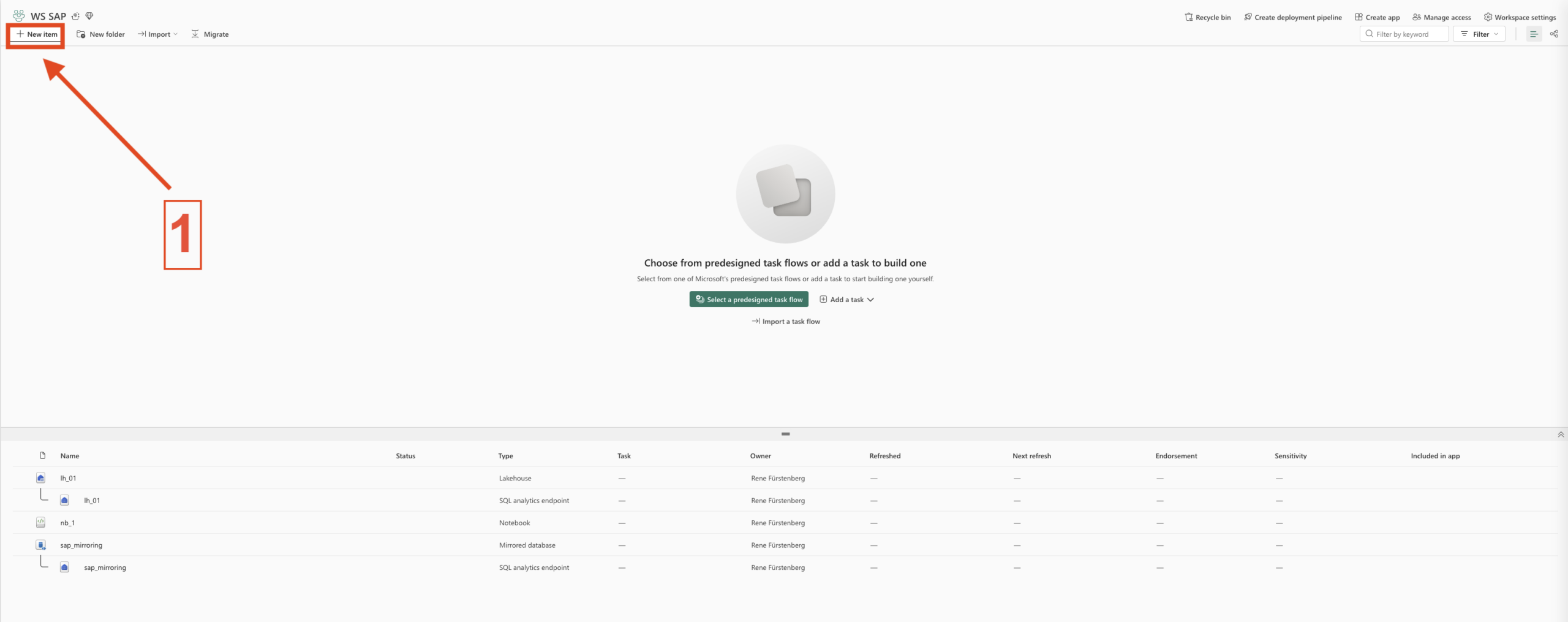
- Select New item
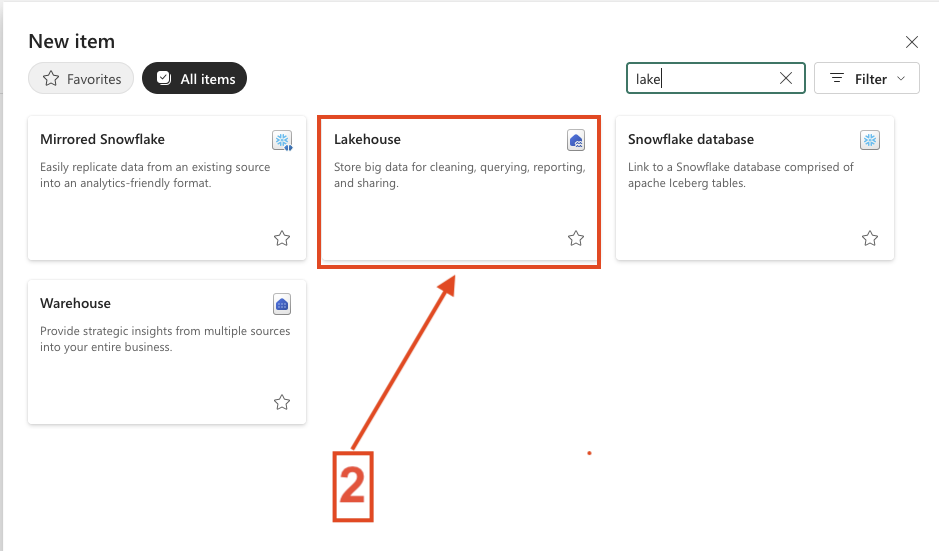
- Search for Lakehouse and choose Lakehouse
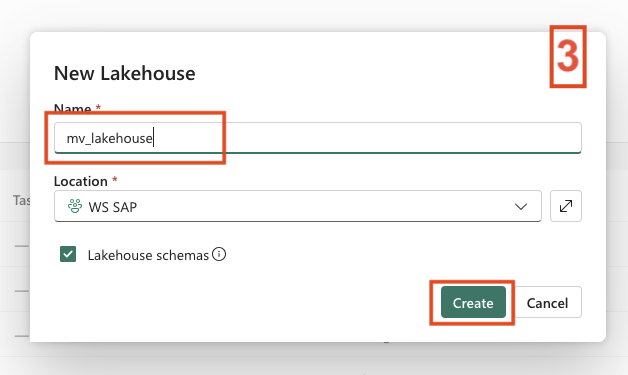
- Provide a name for the Lakehouse
- Click Create
The result can be seen in the screenshots below.
-
- 1. New Item
-
- 2. Search for Lakehouse and choose Lakehouse
-
- 3. Add Lakehouse Name
Step 2: Create the Notebook with MLV
In the next step, we create the notebook for working with Materialized Lake Views using Spark. Alternatively, you can choose Python as the language. At the moment (2026‑04‑14), Python support for this scenario is still in preview.
Use the follow steps to create the Notebook and MLV.
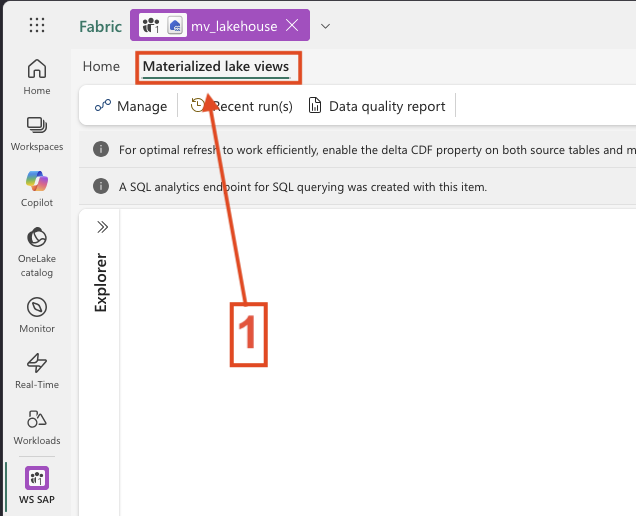
- In the Lakehouse click to Materialized Lake views
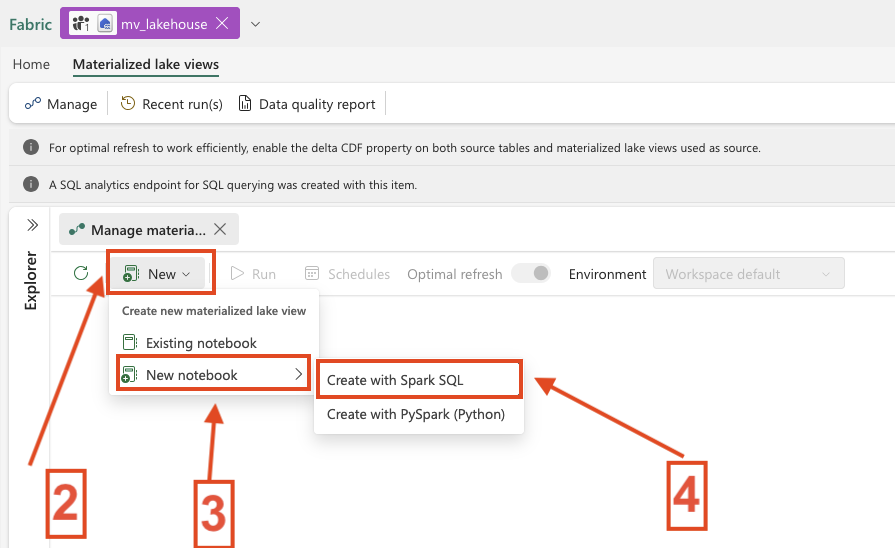
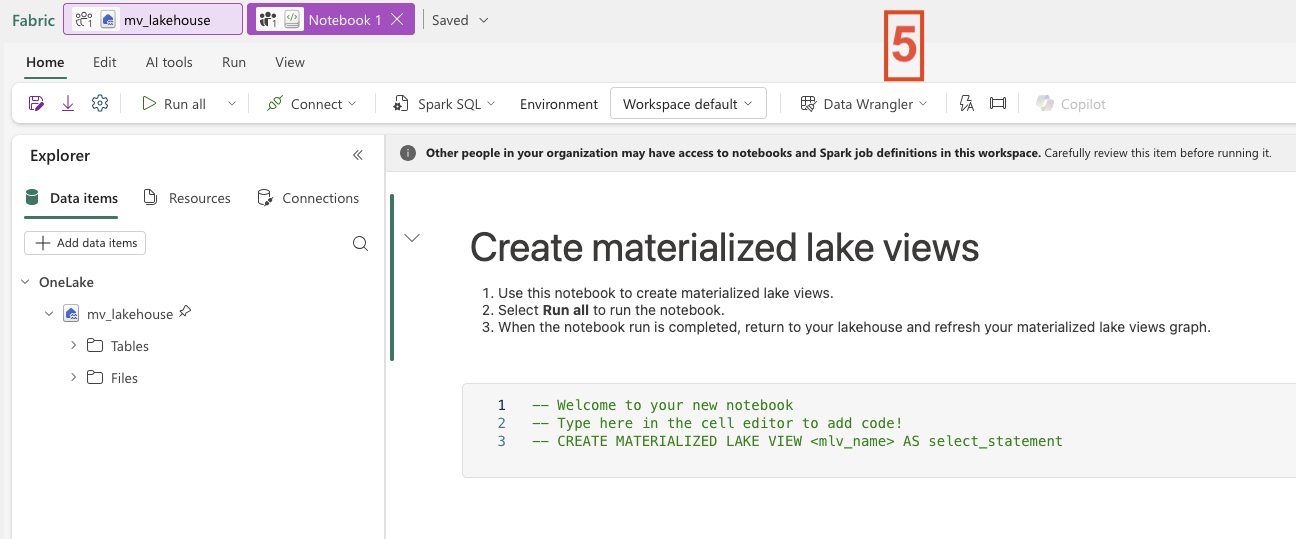
- Select New and select New Notebook with Spark SQL
- Take a Moment and you see the Notebook Overview
-
- 1. Add Materialized Lake View
-
- 2. Create Notebook with Spark SQL MLV
-
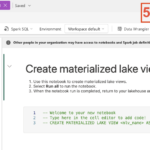
- 3. MLV Overview
Step 3: Add Schema to the Lakehouse
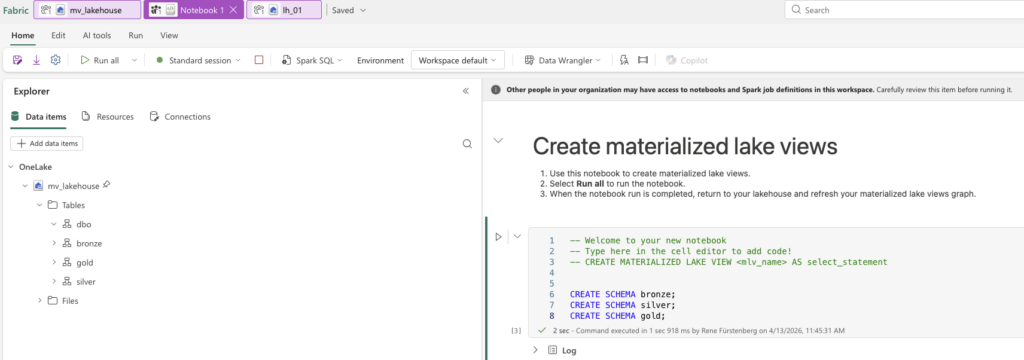
This step is straightforward. Next, we create the three schemas in the Lakehouse so that we can later separate the individual layers.
What needs to be done:
- Start the notebook session
- Insert the script and execute the notebook cell
Alternatively, you can insert the script first and then run the cell, the session will start automatically.
Depending on how your Spark pool is configured, it may take up to five minutes for the session to start. Once the execution is complete, refresh the Lakehouse. You should then see the three newly created schemas.
This is also illustrated in the screenshot below.
Here’s the script:
CREATE SCHEMA bronze;
CREATE SCHEMA silver;
CREATE SCHEMA gold;
Step 4: Add Tables to the Lakehouse
After creating the schemas, we now need data. Before continuing, it’s important to note that it is, of course, also possible to create the required tables for processing immediately after creating the Lakehouse. The order of these steps is therefore flexible. The only important requirement is that the schemas must be created beforehand.
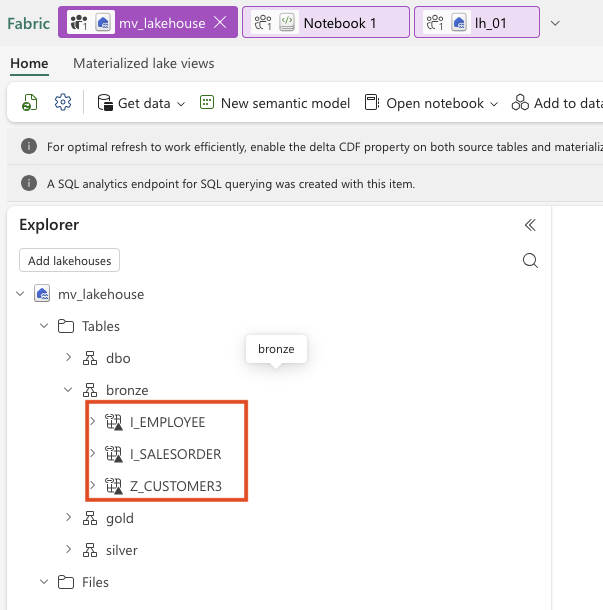
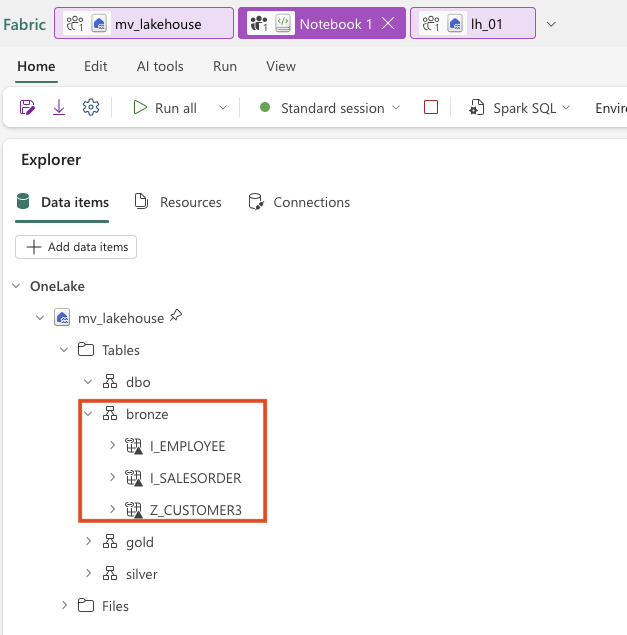
I decided to use shortcuts to my replicated SAP Mirroring database. The SAP database contains three tables that I would like to use for this scenario.
The goal later is to use Materialized Lake Views to write the data from the Bronze layer into the Silver layer. The Gold Layer is used here only as an example and will not be discussed further in this article.
Now let’s add the tables to the Lakehouse.
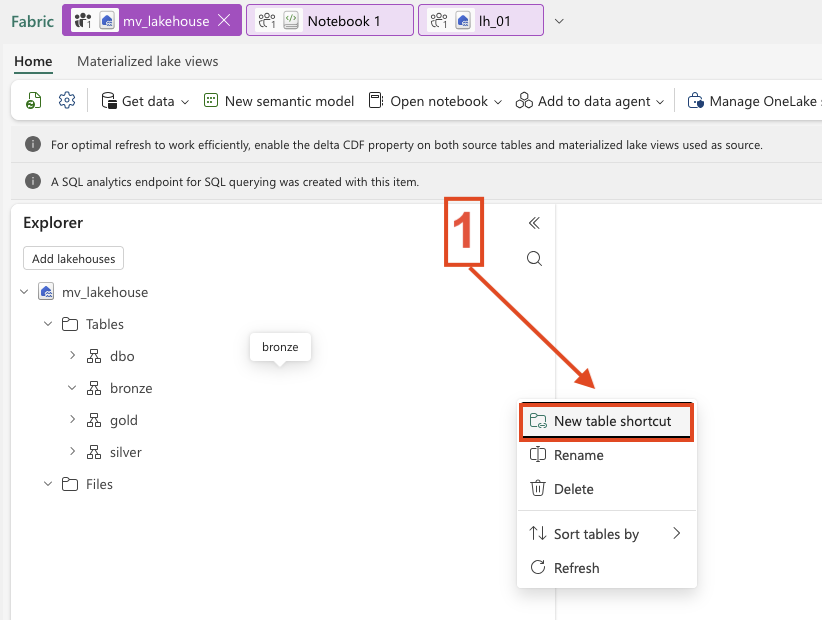
- Click on the three dots next to the Bronze schema, as we want to assign the tables to the Bronze layer.
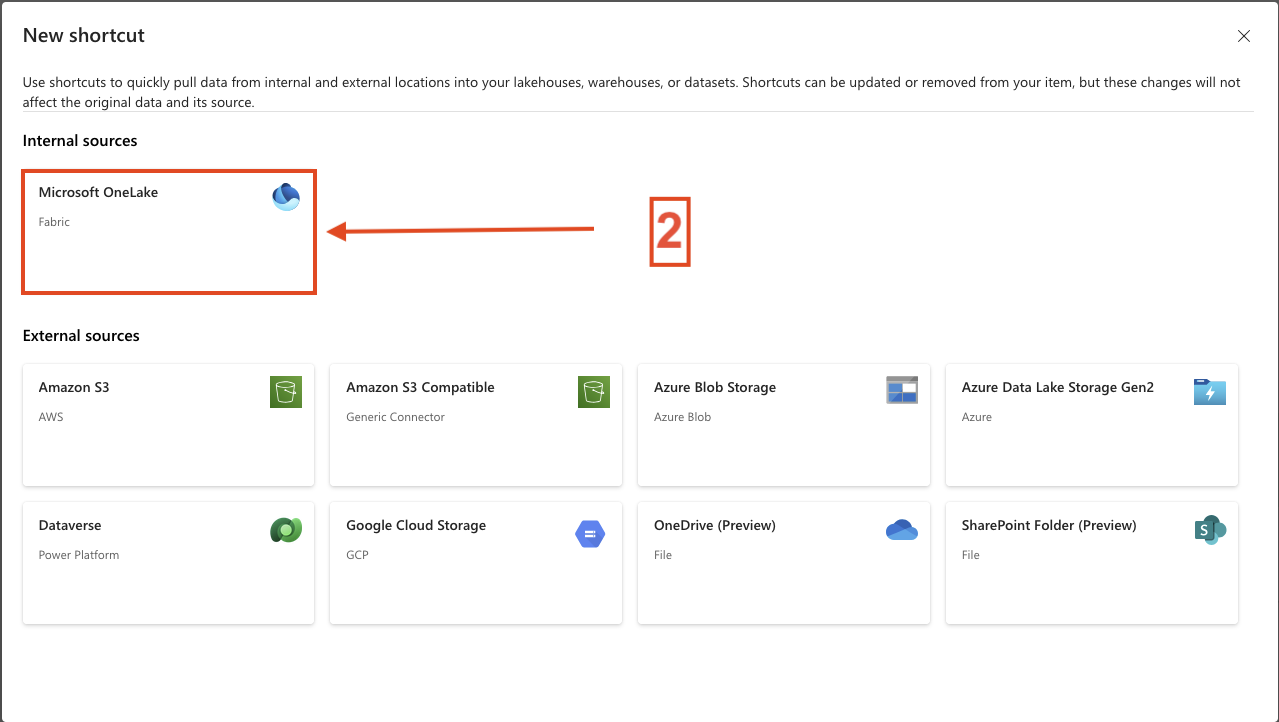
- Select Microsoft OneLake.
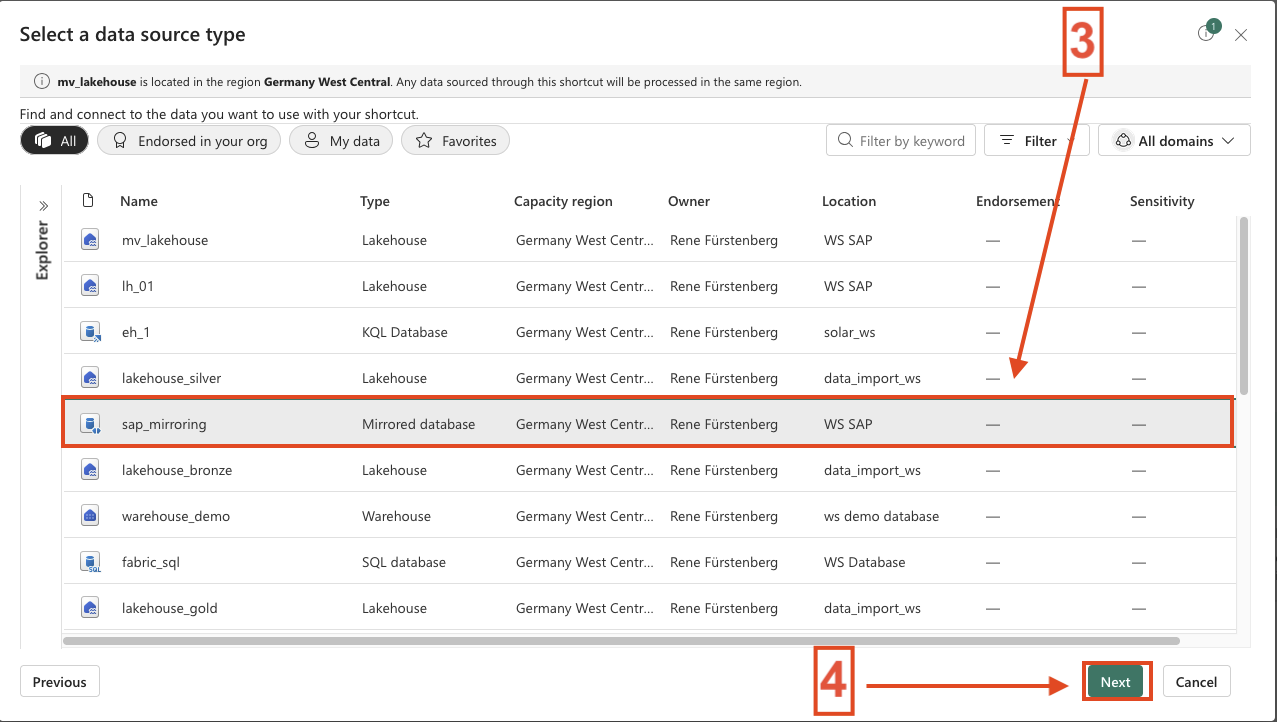
- In my case, choose the SAP Mirrored Database and click Next.
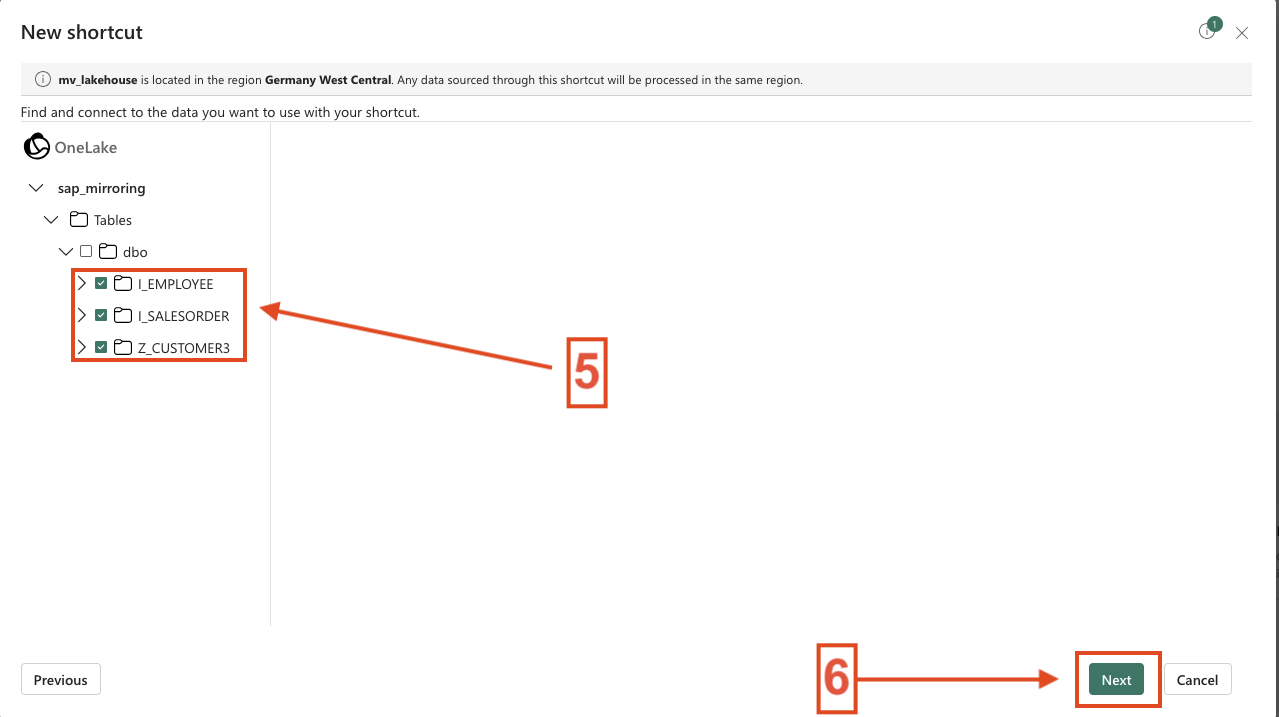
- Select the tables you want to add as shortcuts and click Next.
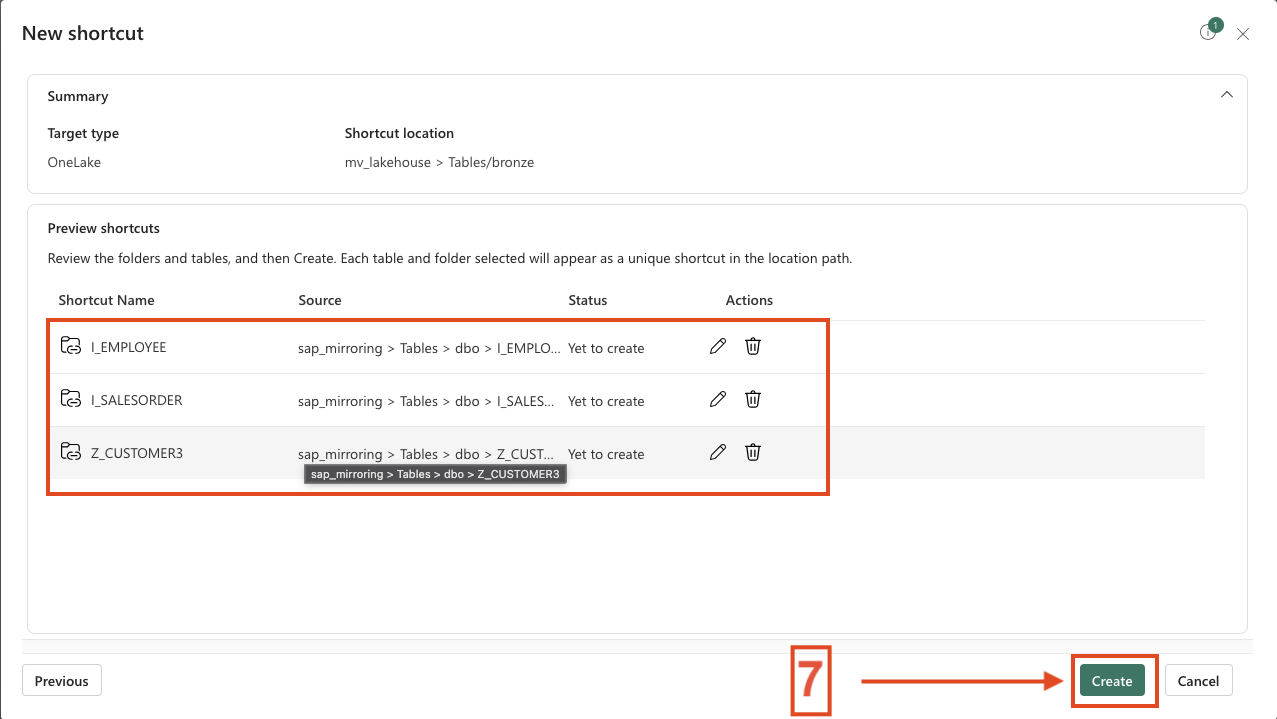
- You now have the option to rename the tables. I keep the default names and click Create.
- The tables are then added and available as shortcuts.
If the tables do not appear immediately, make sure to refresh the Lakehouse. The same applies to the notebook view.
Once the tables are available, we can continue working in the notebook.
Screenshot 6 shows the view of the lakehouse, and Screenshot 7 shows the view on the laptop.
-
- 1. Add Table Shortcuts in the Lakehouse
-
- 2. Select Microsoft OneLake
-
- 3. Select SAP Database
-
- 4. Add the Tables
-
- 5. Change Names when you will and Create
-
- 6. Table Shortcuts in Lakehouse
-
- 7. Table Shortcuts in Notebook
Step 5: Create the Tables with the MLVs
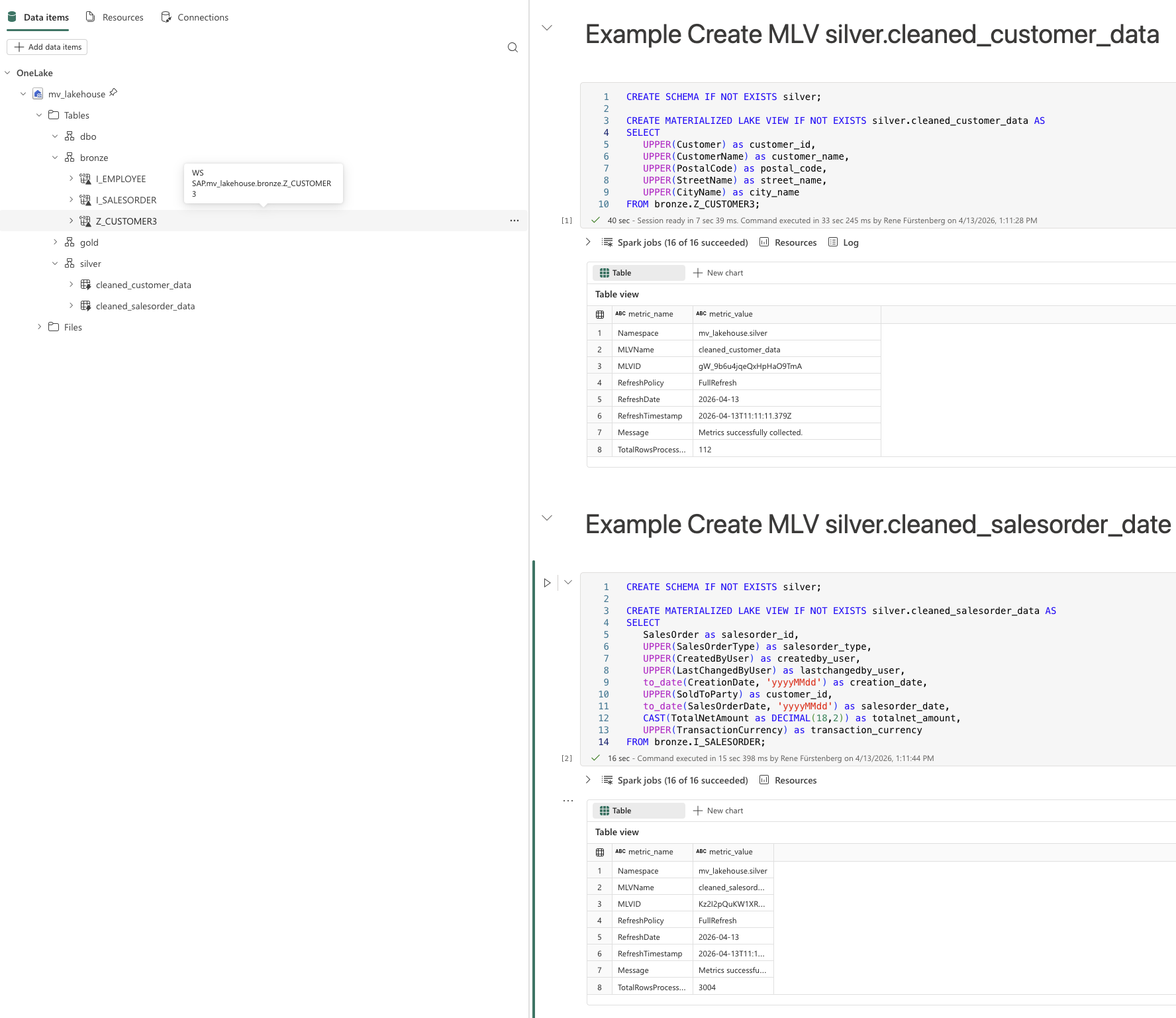
I have created two sample queries that each write data from the Bronze layer into the Silver layer. The tables in the Silver layer are therefore implemented as Materialized Lake Views (MLVs).
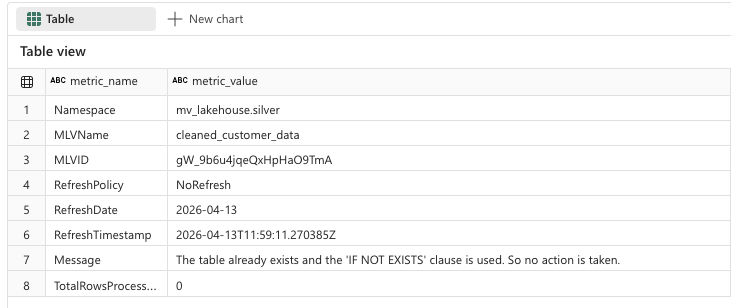
Once an MLV is created, metadata is automatically available, such as when it was created or which refresh policy is being used.
These queries are intentionally kept simple for demonstration purposes. However, much more complex and extensive transformations are fully supported.
Here are the sample queries:
Script 1: Create silver.cleaned_customer_data MLV
You can find the SQL reference in this Microsoft documentation. It also highlights important limitations and considerations to be aware of when working with Materialized Lake Views.
At the end of this article, I will provide a consolidated list of all relevant links for easy reference.
-
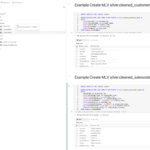
- 1. Create the Tables with the MLVs
-
- 2. MLV Details
First Conclusion
As we can see, creating Materialized Lake Views is very straightforward, similar to setting up the other required components, such as the Lakehouse itself and the underlying tables.
But what are the advantages of Materialized Lake Views from my perspective?
- Once created, Materialized Lake Views can be refreshed automatically via schedules or other triggers, with Fabric handling the refresh logic. Notebooks are only required for the initial creation.
- A single Lakehouse can be used to cover all layers of the medallion architecture: Bronze, Silver, and Gold, separated logically by schemas.
- Even extensive and complex transformations, such as joins, aggregations, and business logic can be implemented directly within Materialized Lake Views using declarative SQL.
Step 6: Overview and refresh possibilities
At this point, we are done with creating the Materialized Lake Views, and we can return to the Lakehouse to explore the remaining capabilities and perform additional settings.
Once we are back in the Lakehouse, a table named sys_dq_metrics has been created. This table provides various insights, such as when a refresh was executed, how many rows were written, and additional execution details. It is definitely worth taking a closer look at this table, especially for monitoring and troubleshooting purposes.
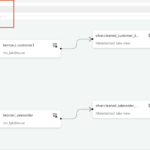
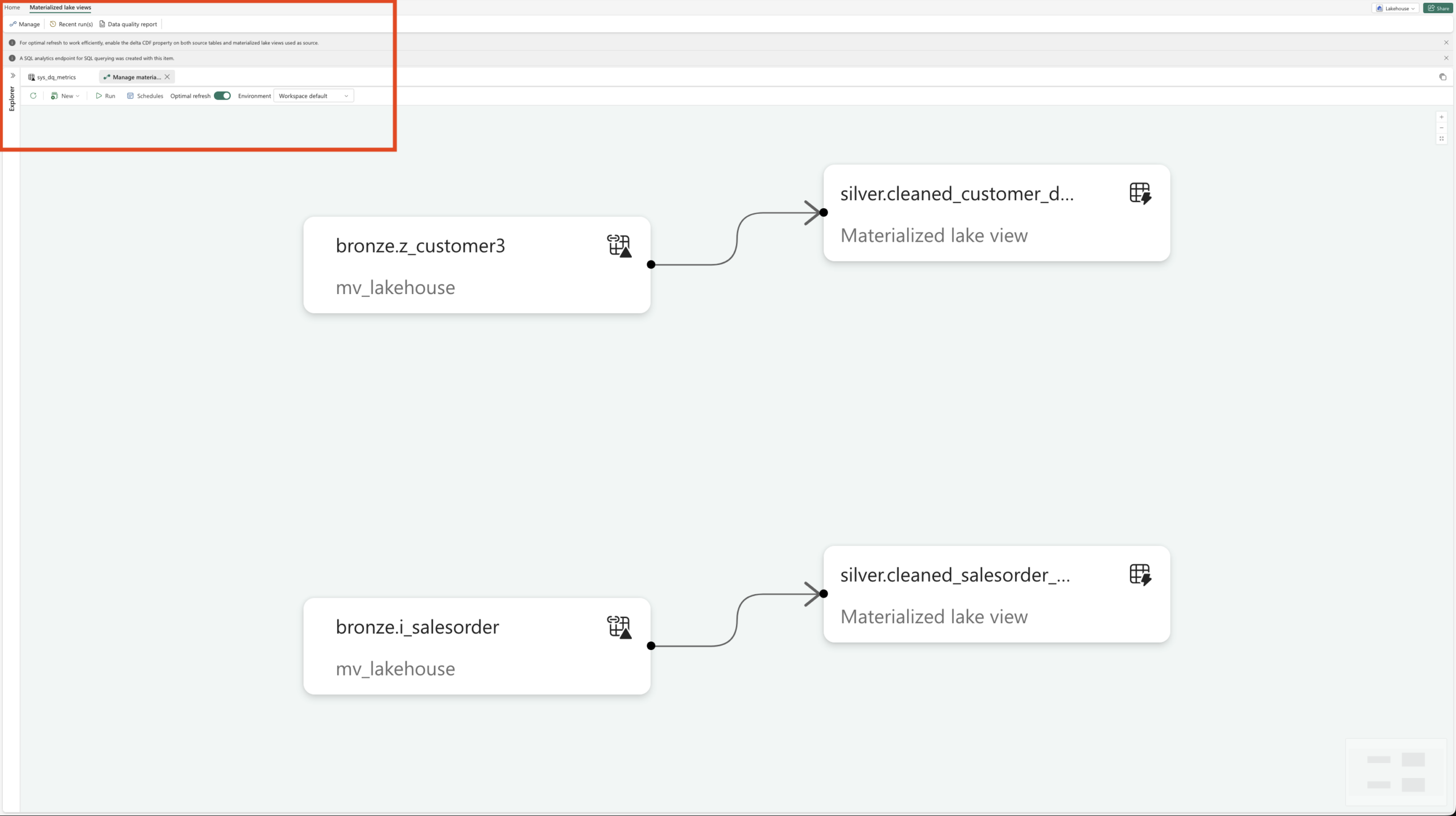
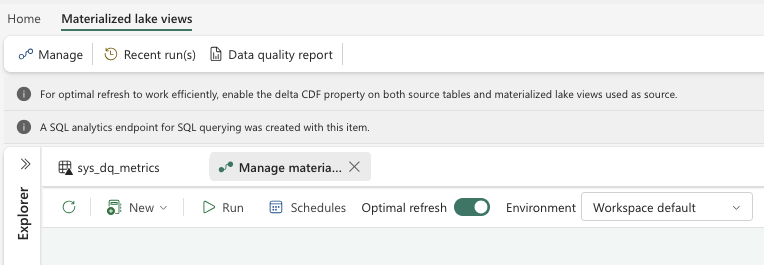
Next, we can select Materialized Lake Views and then click on Manage. This view provides an overview of all existing MLVs, shows their dependencies, and highlights whether individual views are independent or built on top of other MLVs. It is also possible to create a Materialized Lake View on top of another Materialized Lake View. In addition, this overview shows from which Lakehouse the data is sourced.
Refresh behavior and Optimal Refresh
Now let’s move on to the refresh behavior. By default, Optimal Refresh is enabled for Materialized Lake Views. But what does that actually mean?
Optimal Refresh controls how a Materialized Lake View is refreshed once a refresh is triggered. For every refresh execution, Microsoft Fabric automatically decides which refresh strategy is most efficient based on changes in the source tables.
The possible strategies are:
No refresh
If no new Delta commits are detected in the source tables, Fabric skips the refresh entirely to avoid unnecessary computation.
Incremental refresh
Only the changed data is processed when new Delta commits are detected in the source tables.
Full refresh
The entire Materialized Lake View is rebuilt from the full source dataset. This strategy is used when unsupported expressions are detected, when changes cannot be processed incrementally, or when the source dataset is small enough that a full rebuild is faster than an incremental refresh.
Important considerations for incremental refresh
If incremental refresh is intended, Change Data Feed (CDF) must be enabled on all source Delta tables referenced by the Materialized Lake View. Without CDF, Fabric can only choose between No refresh and Full refresh.
Below is a sample SQL statement illustrating such a configuration:
If incremental refresh is intended, it must be explicitly enabled in the MLV by setting the appropriate table property.
Below is a sample SQL statement illustrating this configuration:
FROM bronze.Z_CUSTOMER3;
Refresh schedules and execution
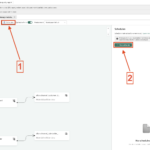
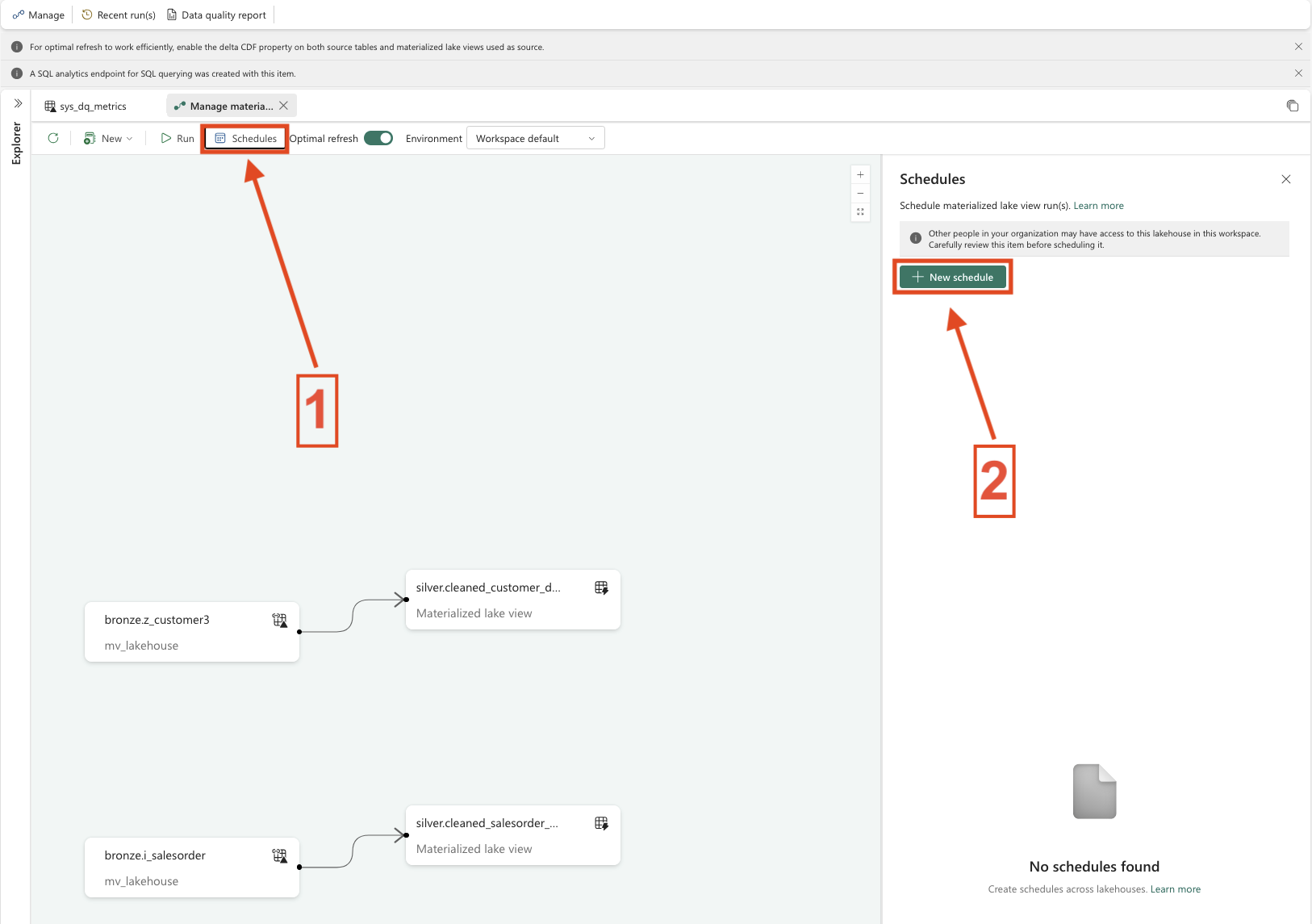
To control when a Materialized Lake View is refreshed, a refresh schedule can be defined. This schedule acts purely as a trigger and works independently of whether Optimal Refresh is enabled or disabled.
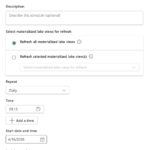
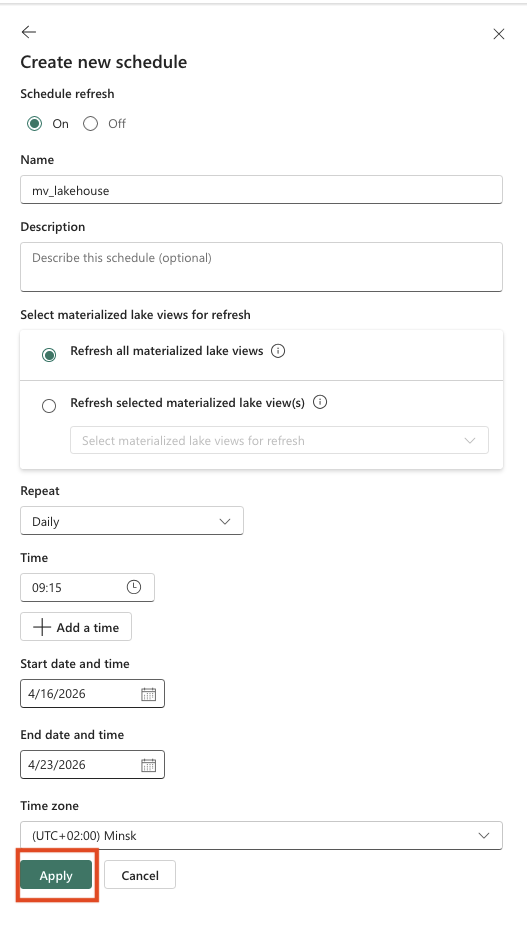
Within a schedule, you can choose whether to refresh all Materialized Lake Views or only specific ones, which makes this approach very flexible. You can also configure the refresh frequency, daily, hourly, weekly, monthly, or even by the minute. In addition, settings such as time zone, start and end times, as well as multiple execution times per day, can be defined (see screenshots below).
Materialized Lake Views can also be refreshed manually using the Run button.
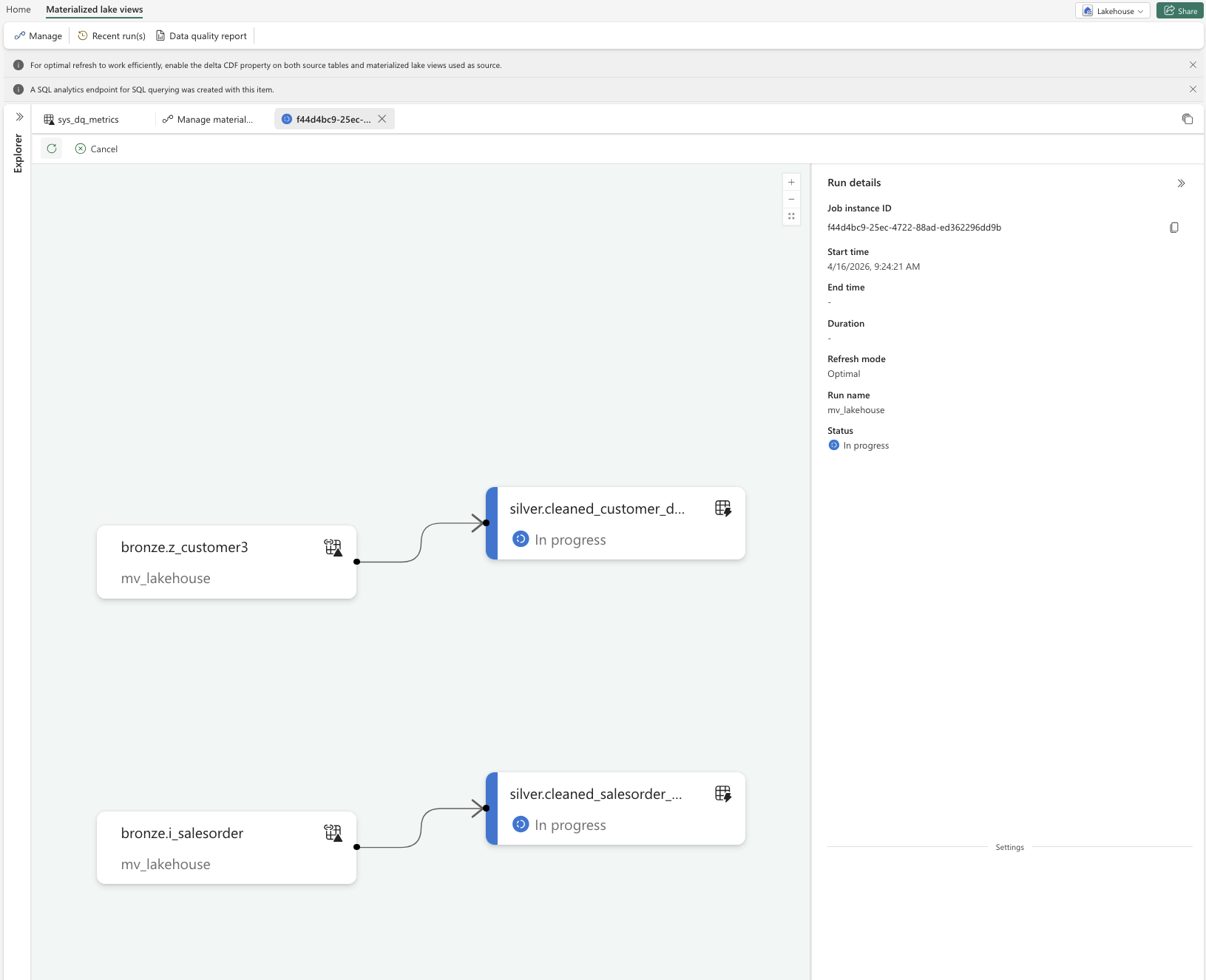
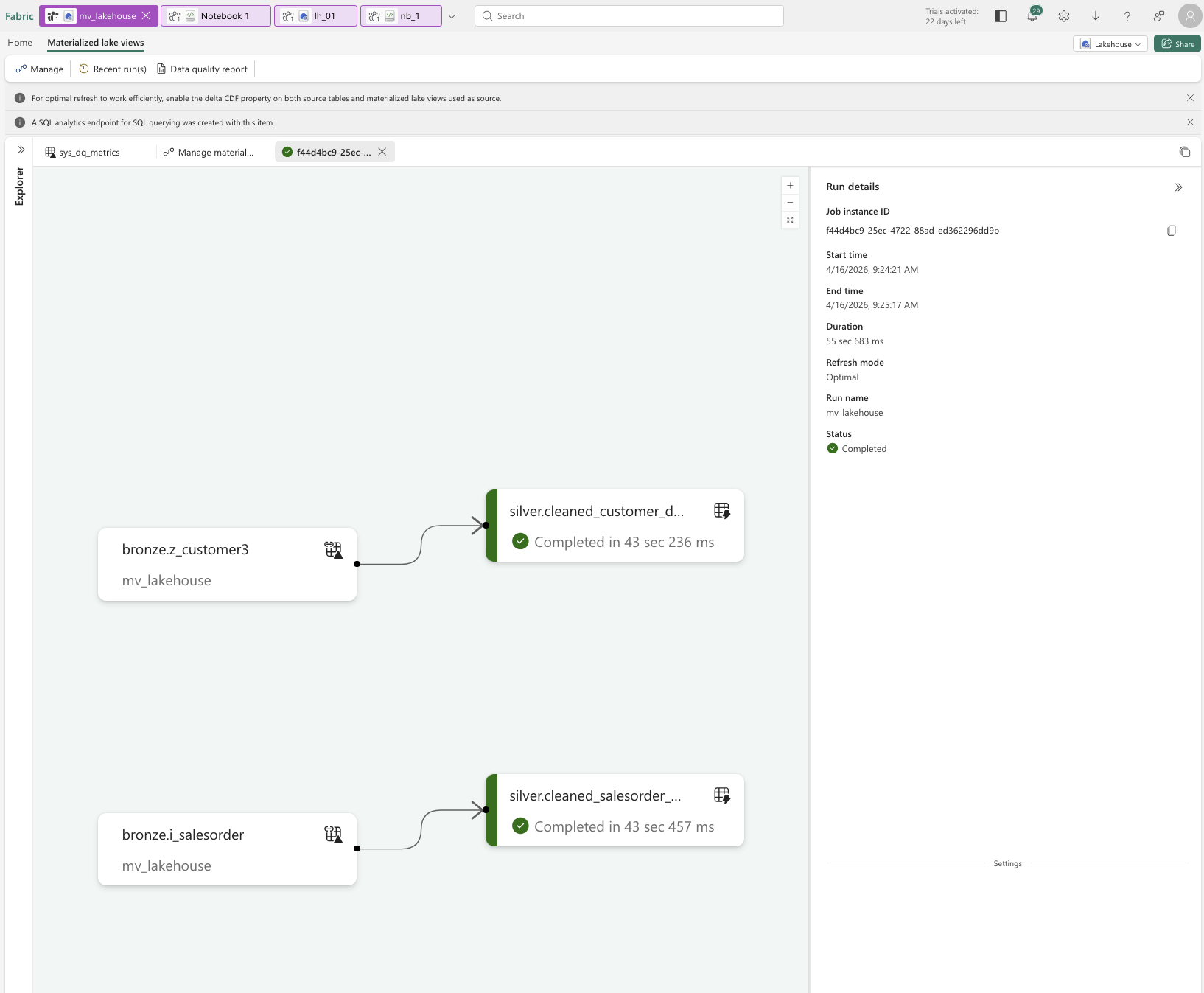
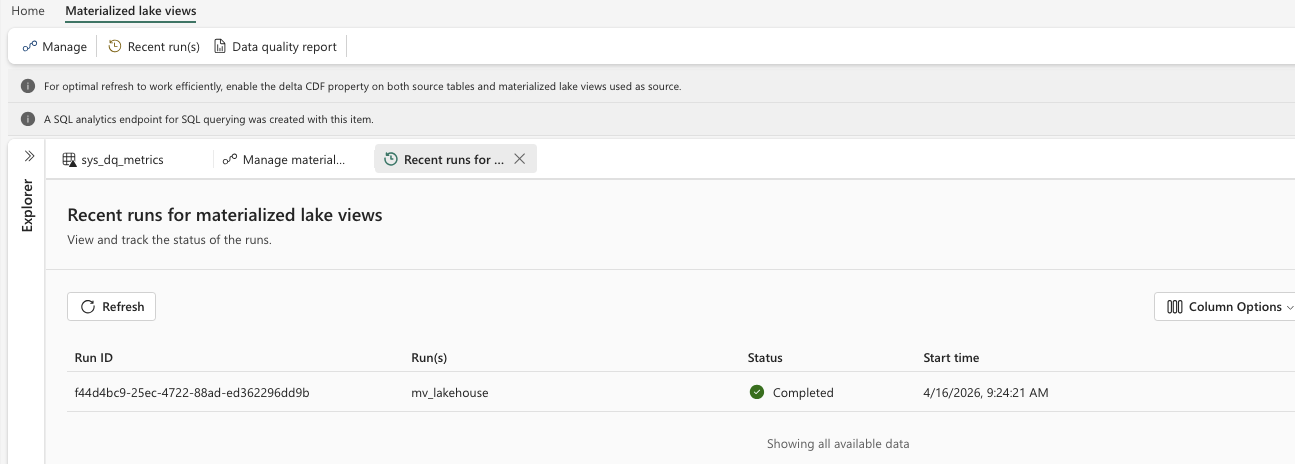
When an MLV is executed, you can review its execution details and later check the Recent runs view to see how frequently it has been executed and whether refreshes were successful.
Data Quality Reports
Finally, it is also possible to generate Data Quality Reports. These reports help monitor the data quality of Materialized Lake Views by showing, for example, whether data violates quality rules, how many rows are affected, and how data quality changes over time.
Especially in production scenarios with Silver or Gold data, these reports are useful for detecting issues early and ensuring data stability. In simple demo or sample scenarios, however, the reports are often less meaningful because few quality rules or complex validations are defined. Their value increases significantly as complexity grows and clear data quality requirements are introduced.
In the next section, we will therefore examine why Materialized Lake Views should be used and in which cases they should not.
-
- 1. MLV sysTable

-
- 2. Refresh possibilities
-
- 3.Overview Refresh
-
- 4. Schedule the MLV
-
- 5. Schedule Configuration
-
- 6. MLV in run Mode
-
- 7. MLV run completed
-
- 8. MLV Recent runs
Why Use Materialized Lake Views?
Now that we have created and configured Materialized Lake Views, the question arises: why should we use them?
From my perspective and based on practical experience, Materialized Lake Views offer several clear advantages.
Easy to configure
Materialized Lake Views are quick and straightforward to set up and require only minimal configuration compared to traditional ETL pipelines.
SQL‑first approach
Anyone familiar with SQL can work productively with MLVs immediately. While Python is supported, it is still in preview and therefore less commonly used in production scenarios.
Reduced ETL overhead
MLVs eliminate much of the classic ETL complexity by allowing declarative transformations directly within the Lakehouse, without the need for multiple pipelines or orchestration layers.
Support for dependencies
Dependencies between Materialized Lake Views can be defined explicitly, making data flows more transparent and easier to manage.
Fewer Fabric items
Because transformations, dependencies, and refresh logic are handled within the Lakehouse, fewer Fabric artifacts are required overall, resulting in lower architectural complexity.
Single Lakehouse for all layers
Bronze, Silver, and Gold layers can be implemented within a single Lakehouse using schemas, enabling a clean and manageable Medallion architecture.
Well suited for frequent queries
Materialized results are reused efficiently, making MLVs ideal for datasets that are queried often.
Handles complex joins and aggregations
MLVs are particularly effective for transformation logic involving multiple joins and aggregations.
Ideal for Gold and reporting layers.
Works best with a stable Medallion architecture
The biggest benefits are achieved when data models and business logic are stable and well defined.
When Materialized Lake Views Are Not the Right Choice
Materialized Lake Views are not a silver bullet and should be avoided when one or more of the following conditions apply.
Rare usage
If tables or results are queried only occasionally, materialization usually does not pay off.
Very simple transformations
For trivial SELECT statements or simple projections, regular views or direct tables are often sufficient.
No SQL‑based logic
If transformations rely heavily on Python, complex Spark logic, or external frameworks, MLVs are less suitable.
Near‑real‑time requirements
MLVs are refresh‑based and therefore not designed for real‑time or near‑real‑time scenarios.
No Delta source or Change Data Feed
Without Delta tables or Change Data Feed (CDF), efficient incremental refresh is not possible.
Highly unstable or frequently changing logic
If business logic changes frequently, the overhead of maintaining MLVs can outweigh their benefits.
Conclusion
This brings us back to the original question:
For which scenarios is the use of a single Lakehouse, especially in combination with Materialized Lake Views, actually sufficient or even the better choice?
In practice, a single Lakehouse proves to be particularly effective when working with a stable Medallion architecture, SQL‑centric transformations, and recurring complex joins or aggregations. In these scenarios, Materialized Lake Views are not only sufficient but often the cleaner, more maintainable, and more efficient architectural choice.
Materialized Lake Views significantly reduce classic ETL overhead by enabling declarative transformations directly within the Lakehouse. Dependencies can be defined transparently, refresh processes are simplified, and the overall number of required Fabric artifacts is reduced. This leads to a more streamlined architecture that is easier to understand, operate, and maintain.
Especially for Gold and reporting layers, where data models and business logic are well defined and queried frequently, Materialized Lake Views deliver strong performance with minimal operational complexity. Implementing Bronze, Silver, and Gold layers within a single Lakehouse using schemas further supports a clean and manageable Medallion design.
That said, Materialized Lake Views are not suitable for every scenario. Near‑real‑time requirements, highly volatile business logic, or transformation patterns that rely heavily on non‑SQL technologies still require alternative approaches.
In summary, a single Lakehouse combined with Materialized Lake Views is an excellent choice for mature, SQL‑driven data platforms with stable requirements. While it does not replace every architectural pattern, it provides a powerful, pragmatic, and highly effective way to simplify data engineering in Microsoft Fabric when applied in the right context.
Links
MLV Overview – What are materialized lake views in Microsoft Fabric
Spark SQL Reference – Microsoft SQL Reference Materialited Lake Views
Data quality – Data quality in materialized lake views
Optimal refresh – Optimal refresh for materialized lake views in a lakehouse
Schedule MLVs – Schedule a materialized lake view refresh