World of Azure Cloud

Microsoft Fabric, Databricks, Power BI, Real Time Intelligence

Unlocking Azure Databricks Tables in Microsoft Fabric with OneLake

Introduction

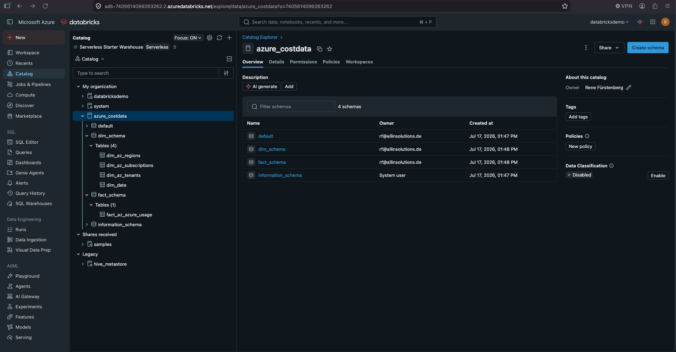
In my latest article, I show how you can store Azure Databricks tables directly in Microsoft OneLake. I cover the required configuration steps in both Databricks and Microsoft Fabric and guide you through the entire setup process. You’ll also learn how to expose those tables through a Lakehouse, making them easy to access and reuse for analytics, reporting, and other data projects. I also show how data can be written from Microsoft Fabric to Azure Databricks and from Azure Databricks back to Microsoft Fabric.

Important this feature is still in preview (2026/09/04)!

What are the Requirements?

  • Azure Databrick Workspace (You can use the Trial Premium – 14-Days Free DBUs pricing tier for a Demo
  • Microsoft Fabric Workspace with F, P or TRIAL Capacity assgined
  • Databricks Workspace must be enabled for Unity Catalog
  • Fabric Administrator muss enable Users can create Azure Databricks Storage items in Tenant Settins
  • Target Workspace must have Authenticate with OneLake user-delegated SAS tokens enabled in Workspace settings. You find this in Delegated settings and OneLake settings
  • CREATE STORAGE CREDENTIAL privilige on the Unity Catalog metastore and CREATE EXTERNAL LOCATION privilige on both the metastore and the storage credential.
Continue reading

New YouTube Video: Azure Databricks & Microsoft Fabric – Mirroring, Semantic Models and Power BI

In my latest YouTube video, I take a closer look at how Azure Databricks and Microsoft Fabric can work together in a modern analytics environment. I walk through the process of setting up Azure Databricks Mirroring in Microsoft Fabric, allowing Databricks tables to be automatically replicated and used within Fabric.
From there, we create a Semantic Model and build a Power BI report on top of the mirrored data. The video covers the complete journey—from preparing data in Azure Databricks to creating meaningful reports and visualizations in Power BI.
If you’re interested in combining Databricks and Fabric in a practical, real-world scenario, this video will give you a hands-on overview of the entire process.

You can watch the video on YouTube or directly below.


You are currently viewing a placeholder content from YouTube. To access the actual content, click the button below. Please note that doing so will share data with third-party providers.

More Information

Fabric Jumpstart: Deploying and Extending the Fabric Platform Monitoring – Capacity Events Real-Time Intelligence Solution

Introduction

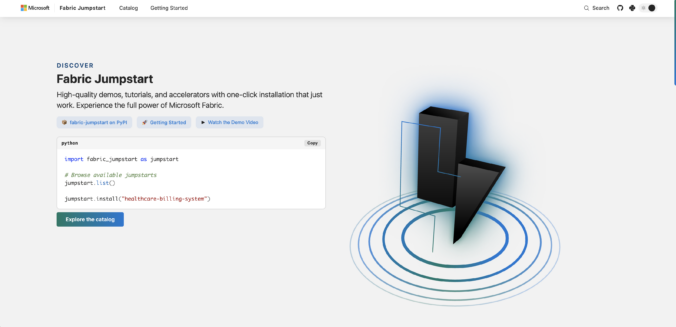
In this article, I write about Fabric Jumpstart, a website where you can find demos and tutorials to get started with Fabric. However, you can also find solutions there that are perfectly suitable for use in production environments. In this article, I will show you how to use Fabric Jumpstart and deploy solutions in a workspace.

In my example, I will deploy a Real-Time Intelligence workload, focusing on Capacity Events. We can use this solution to monitor the utilization of one or more capacities. This is extremely helpful. We can also extend the solution to receive notifications using Fabric Activator. I will describe this in more detail later in the article.

The solution does the following:
Monitor your Fabric capacity usage in real time using Capacity Events. Telemetry data is streamed into an Eventhouse via Eventstream and analyzed through live KQL dashboards. This helps you identify usage trends early and manage your resources proactively.

Continue reading

How to Save Costs in Microsoft Fabric by Automating Capacity Start & Stop with Azure Logic Apps

Introduction

I get asked quite often how to save costs efficiently in Microsoft Fabric. One of the biggest levers is pausing your Fabric capacity when it’s not in use.

What’s important to understand here: storage costs continue, even when the capacity is stopped. You’re only saving on compute. That’s still a huge win, especially if your workloads are not running 24/7.

In this article, I’ll walk through what this can look like in practice and how you can set up a proper solution to stop and start your capacity.

Let’s quickly look at the available options:

  • Manually start and stop the capacity
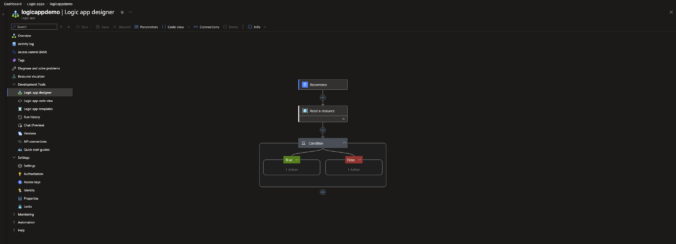
  • Automatically start and stop using a Logic App
  • Automatically start and stop using Azure Automation
  • With Semantic Link Labs

Technically, all of these work. But let’s be honest, manually starting and stopping your capacity every day isn’t something anyone wants to deal with in the long run.

That’s why automation is the only approach that really makes sense.

In my case, I decided to go with Azure Logic Apps, and I’ll show you how to set this up step by step. It’s lightweight, reliable, and easy to maintain, exactly what you want for something that should just run in the background without any manual effort.

Let’s get into it.

Continue reading

Materialized Lake Views in Microsoft Fabric

Introduction

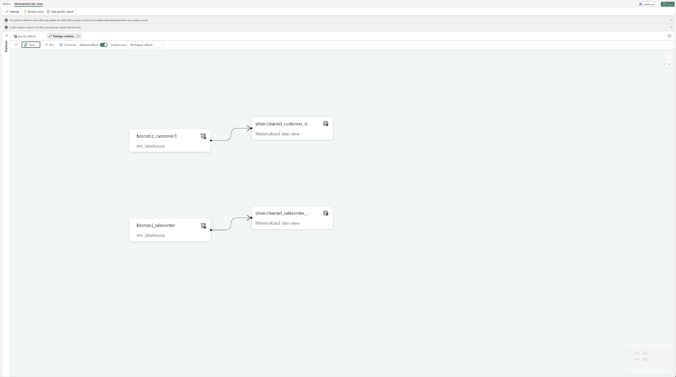
In this article, i want to focus specifically on Materialized Lake Views (MLVs in order to better understand how they work and where they can be applied.

MLVs are still relatively new in Microsoft Fabric and, at first glance, do not fully align with what Microsoft has strongly promoted so far, namely a strict separation of the individual layers. Nevertheless, they represent a very interesting alternative, especially when it comes to reducing complex ETL processes.

In my projects, I generally follow the Medallion architecture, where I use a separate Lakehouse for each of the Bronze, Silver, and Gold layers. Alternatively, the Gold layer can also be implemented as a Fabric Warehouse.

This is exactly where Materialized Lake Views come into play, as they enable a different approach:

Instead of operating multiple Lakehouses for the individual layers, Bronze, Silver, and Gold can be represented via separate schemas within a single Lakehouse. The individual layers are logically separated while being technically created within the same Lakehouse.

Continue reading

SAP Mirroring in Microsoft Fabric with SAP Datasphere Step by Step Guide

Introduction

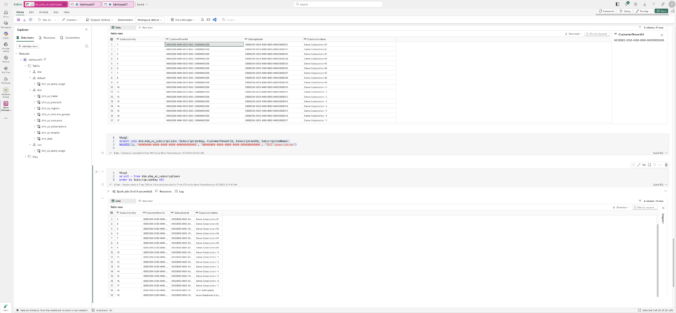
In this article, I walk through the complete process of replicating data from an SAP S/4HANA system into Microsoft Fabric. The goal was to build an end-to-end setup that connects the SAP landscape with modern analytics capabilities in Fabric. To achieve this, I combined several components from both SAP and Microsoft: the SAP Cloud Connector, SAP Datasphere, Azure Data Lake Storage Gen2, and finally the Mirrored SAP Database item inside Microsoft Fabric.

The article is based on the exact steps I carried out in my own environment. Along the way, I encountered a few challenges on the SAP side, especially when configuring the connection through the SAP Cloud Connector. Once this part was working, the remaining setup in Microsoft Fabric was straightforward. In the end, the result is a working replication pipeline that allows SAP data to be used directly in Fabric and prepared for further analytics scenarios.

Continue reading

NEUES Video: Open Mirroring in Microsoft Fabric – Schritt für Schritt erklärt am Beispiel einer PostgreSQL On‑Premise Datenbank

In diesem Video (Video unten eingebettet) zeigen Joris und ich detailliert, wie Open Mirroring in Microsoft Fabric funktioniert. Anhand einer echten lokalen PostgreSQL‑On‑Premise‑Datenbank führen wir euch Schritt für Schritt durch den gesamten Prozess , von den Grundlagen bis zur erfolgreichen Spiegelung der Daten in Fabric.

Continue reading

Microsoft Fabric Notebooks: Connections direkt im Notebook anlegen

Die Arbeit mit Microsoft Fabric wird stetig einfacher und flexibler – besonders für alle, die täglich mit Notebooks, Datenpipelines und unterschiedlichen Datenquellen arbeiten. Ein neues (noch in der Preview befindliches) Feature ermöglicht es, Connections direkt im Notebook anzulegen. Dadurch kannst du Datenquellen schneller einbinden und deinen Workflow effizienter gestalten.

In diesem Beitrag beschreibe ich dir detailliert, wie das funktioniert, welche Connection‑Typen unterstützt werden und warum dieses Feature ein echter Boost für deine tägliche Arbeit ist.

Ein ausführliches Video zu diesem Thema findest du auch auf meinem YouTube‑Channel – es ist direkt unten im Artikel verlinkt. Dort findest du außerdem viele weitere Videos rund um Microsoft Fabric.

Continue reading

Real Time Intelligence in Microsoft Fabric – Photovoltaikanlage verbinden (Teil 1)

Real Time Intelligence ist eine der spannendsten Funktionen in Microsoft Fabric und bietet enormes Potenzial für Echtzeit-Szenarien.

Da ich ein großer Fan von Real Time Intelligence bin, wollte ich nicht nur theoretisch damit arbeiten, sondern ein privates Praxisprojekt umsetzen, um die Möglichkeiten von Fabric besser zu verstehen. Zwar stellt Microsoft zahlreiche Tutorials zur Verfügung, um RTI kennenzulernen.

So entstand die Idee, meine Photovoltaikanlage mit Microsoft Fabric und Real Time Intelligence zu verbinden und die erzeugten Daten in Echtzeit zu verarbeiten und auszuwerten – ein persönliches Projekt, das mir gleichzeitig ermöglicht, die Technik praxisnah zu erforschen.

Continue reading
« Older posts